
Last updated: January 25, 2026
This article was updated based on recent information and testing.
10 Free CRM Tools for Small Business That Boost Growth (2026)
In today’s competitive market, small business CRM systems aren’t just “nice to have” – they’re essential. A CRM (Customer Relationship Management) tool centralizes customer interactions, sales pipelines, and customer data so businesses can track leads, manage contacts, automate repetitive tasks, and ultimately boost growth — even on a tight budget.
For startups and small businesses, free CRM tools with free tiers provide a powerful way to get started without expensive software costs. Some tools are completely free forever, while others offer free tiers with core features that meet most early‑stage needs. This guide highlights the best options available in 2026, with a focus on real value, ease of use, and practical growth features.
Note: This article does not earn commissions on software recommendations. It’s based on research and testing to help small businesses choose the right tool for their needs.
Why Small Businesses Need Free CRM Tools

Small businesses often start with spreadsheets and manual contact lists. While simple, this approach quickly breaks down as leads grow and customer interactions multiply. A CRM transforms raw contact data into structured insights that drive action.
Key Benefits of CRM for Growth
- Centralized lead & contact management — no more lost prospects in a spreadsheet.
- Sales pipeline tracking – get a clearer picture of your deals and focus on the hottest opportunities.
- Email tracking and automation – nurture leads with less effort.
- Sales & marketing automation software — reduce repetitive tasks.
- Analytics dashboards — monitor the results and tweak strategies. Jt. Org
They make it easier for small teams to spend more time on relationships and closing deals, instead of admin. For a broader look at free and low-cost CRM options from the U.S. Chamber of Commerce, including tools ideal for small teams, you can explore their guide on CRM solutions.
How Free CRM Tools Work: Free Forever vs Free Tier
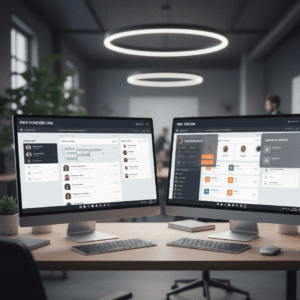
Two models must be kept in mind when assessing features of free CRM software:
| Free Forever CRM | Free Tier CRM |
|---|---|
| Provides basic CRM functionality for free, no time limit. | Free up to a point; additional features available for a fee. |
| Great for startups or solo founders starting from scratch. | Ideal for small teams that might scale or require more advanced tools later. |
| Usually includes such features as contact management, simple funnel and lead tracking. | Usually features automation, integrations, and no marketing cap resources. |
Throughout this guide, each tool is marked to indicate if it’s a free forever CRM or if it has a free tier.
Top Free CRM Tools for Small Business (2026)
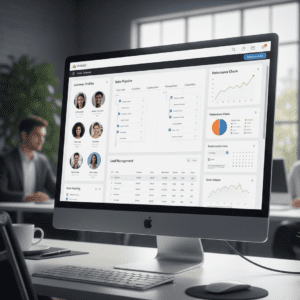
Here are some of the best CRM solutions with free plans to help you grow without spending too much.
1. HubSpot CRM (Free Forever)
Overview: And it’s with good reason, as HubSpot is considered to be one of the most inclusive free CRM tools for small business users that includes sales, marketing and customer service functionalities without a cost barrier.
Free Features
- Unlimited users and 1 million contacts.
- Contact & lead management with extensive timelines.
- Sales pipeline visualization & deals tracking.
- Email tracking, meeting scheduling, task reminders.
- Integrations with Gmail, Outlook and more than 1,900 other apps.
Pros
- 100% free – basic CRM options remain free forever.
- Intuitive & user-friendly interface is perfect for beginners.
- Flexible integrations and mobile access.
- Strong contact management & sales pipeline tracking.
Cons
- Advanced automation and reporting features are limited to paid plans.
- No restrictions on marketing-free bulk emails.
Best For: Small workgroups, startups and other small business owners which need to have a feature rich but easy to understand free CRM that grows with their needs.
Cost: Free forever (optional paid upgrades available)
2. Zoho CRM (Free Tier)
Overview: The free plan of Zoho CRM is for 3 users, which gets you the basic sales features having workflow automation and lead management. It also works in conjunction with other Zoho apps to scale up features as your business grows.
Free Features
- Leads and contact management with basic automation.
- Deal tracking and activity feeds.
- Mobile app access and workflow rules (up to a certain limit).
Pros
- Free plan comes with workflow automation.
- Integrates with other Zoho services.
- Scales nice with paid upgrades later.
Cons
- Free plan only offers up to 3 users.
- User interface might feel old to some.
Best For: Small teams looking for automation features integrated directly into their small business CRM software without having to pay immediately.
Pricing: Free to use (paid version available)
3. Agile CRM (Free Tier)
Overview: Agile CRM has a free plan which includes most of the good stuff, such as contact management, email campaigns and estimates for leads. It’s for small teams: seeking marketing + sales integration. According to Forbes Advisor’s expert CRM rankings, tools like Agile CRM are highly regarded for their free plans and core features.
Free Features
- Contact & lead management.
- Email templates and landing pages.
- Basic automation workflows.
- Appointment scheduling and task tracking.
Pros
- Powerful marketing tools including email campaigns.
- Lead scoring and task automation are all part of the package.Ideal for teams without marketing professionals.
Cons
- Limit of 10 users and 1,000 contacts on free plan.
- Workflow restrictions and advanced automation.
Best For: Small businesses that want email marketing AND CRM together in one place.
Pricing: Free plan (paid for full features)
Comparison Table: Top CRM Tools at a Glance
| Tool Name | Free Type | User Limit (Free) | Key Feature Strength |
|---|---|---|---|
| HubSpot CRM | Free Forever | Unlimited | Contact management + pipeline |
| Zoho CRM | Free Tier | 3 users | Workflow automation |
| Agile CRM | Free Tier | 10 users | Marketing + automation |
Why These CRMs Help Boost Growth
Even when they are free, these CRM systems assist small businesses:
- Boost lead nurturing with automated lead tracking.
- Form a sales process through the tracking of a sales pipeline.
- Use analytics dashboards to learn and decide better.
- Automate repetitive actions to pocket much less time build up more efficiency.
4. Freshsales CRM (Free Tier)
Overview: Freshsales, a product of Freshworks, is one small business CRM system that offers lead management, pipeline tracking and email integration on its free version. With an easy-to-use interface, it’s suitable for teams looking to quickly get up and running. (freshworks. com)
Free Features
- Contact & lead management.
- Sales pipeline visualization.
- Email integration with Gmail/Outlook.
- Built-in chat and activity tracking.
Pros
- Easy to set up and use.
- Simple drag and drop pipeline views on clean interface.
- Can do some basic lead scoring and contact tagging.
Cons
- Free plan capped at 10 users.
- Some advanced automation and analytics are available only with paid plans.
Best For: Businesses large and small that want a straightforward CRM with basic workflow automation and pipeline visibility.
Pricing: Free tier (money to unlock more users/features)
5. Bitrix24 (Free Tier)
Overview: Bitrix24 Bitrix24 has a powerful CRM solution that is available free of charge, with other module-based functionality such as contact management, workflow and email marketing included for small business users.
Free Features
- Up to 12 users.
- Contact management and sales funnel.
- Task & project management.
- Email marketing and telephony integration.
Pros
- Provides a complete package with task management.
- Best collaboration tools for small teams.
- Ample free tier for users.
Cons
- Interface can seem complicated for newbies.
- A few marketing automation features are restricted in the free plan.
Best For: Businesses that need CRM and project management in a single platform.
Pricing: Free tier (pay to upgrade to full suite)
6. Insightly (Free Tier)
Overview: Insightly: A simple CRM around managing relationships and projects, it’s perfect for small businesses that manage both contacts and ongoing projects.
Free Features
- Up to 2 users on free plan.
- Contact & lead management.
- Project tracking and task management.
- Basic reporting and dashboards.
Pros
- Brings both CRM and project management together.
- Easy for lightweight CRM needs of small teams.
Cons
- Free plan restricted to 2 users.
- Limited automation and integrations in free software.
Best For: Individual entrepreneurs or extremely small teams who need the features of combined CRM + project tracking.
Pricing: Free plan (premium plans for full features)
7. Bitrix24 vs Zoho vs HubSpot: Quick Feature Snapshot
| Feature | HubSpot CRM | Zoho CRM | Bitrix24 | Freshsales | Insightly |
|---|---|---|---|---|---|
| Contact Management | ✅ | ✅ | ✅ | ✅ | ✅ |
| Lead Tracking Automation | ✅ | ✅ | ✅ | ✅ | ✅ |
| Sales Pipeline Tracking | ✅ | ✅ | ✅ | ✅ | ✅ |
| Marketing Automation | Limited | Limited | Limited | Limited | Limited |
| Users Free Plan | Unlimited | 3 | 12 | 10 | 2 |
| Mobile Access | ✅ | ✅ | ✅ | ✅ | ✅ |
This table is designed to assist small businesses in comparing which CRM fits their current team size and workflow requirements at a glance.
Choosing the Right Free CRM Tool
Choosing the right CRM for you will depend on team size, needed features and growth aspirations. Here’s a practical guide:
Team Size:
- If you are solo or have 2–3 people → Insightly free plan or Zoho.
- Small teams up to 12 → Bitrix24, Agile CRM, Freshsales.
- Unlimited users → HubSpot CRM.
Feature Requirements:
- Looking for marketing automation → Agile CRM or HubSpot.
- Need project management integration → Insightly or Bitrix24.
- Require heavy pipeline tracking → Freshsales or HubSpot.
Growth Potential:
- Decide if the free tier is sufficient, or whether you will need a paid plan in the near future.
Tip: These types of platform are quite easy to upgrade. Sidecar has both free and paid packages, so we suggest checking out the free version to figure out which works best for your business before you make a purchase.
Free CRM Tools: Practical Tips for Maximizing Efficiency
Many small businesses use free tools to organize your work and reduce stress to manage tasks alongside their CRM systems, helping them remain efficient and avoid burnout — especially when juggling multiple customer touchpoints. By utilizing a free tier CRM, small businesses can scale so much more even when:
- Systematizing your contacts: Tag, stage, or write up notes for every lead.
- Automating common tasks: Even basic email tracking and reminders can save you hours per week.
- Following intermediary processes: Catch pain points in the sales funnel quickly.
- Frequent analytics monitoring: Watch conversion and lead engagement with free dashboards.
- Integration with other tools: A lot of CRMs that are free come with Gmail, Outlook and calendar integration to keep your work streamlined.
By taking these steps, small businesses can ensure they get the most value out of free CRM software features — even without having to pay for a plan.
8. Streak CRM (Free Tier)
Overview: Streak CRM Streak CRM is a Gmail integration CRM, and it allows small businesses to work leads and sales from their Google inbox. It’s great for teams that live and die by Gmail and need lightweight CRM features close at hand.
Free Features
- Lead & pipeline management right inside Gmail.
- Email tracking and scheduling.
- Task reminders and notes.
- Up to 2 users on free plan.
Pros
- Seamless Gmail integration.
- Portable and easy to carry.
- Perfect for solo-founders or super tiny teams.
Cons
- Free tier restricted to 2 users.
- Reporting features and workflow automation are only available with paid plans.
Ideal For: Single entrepreneurs or teams that live in Gmail and don’t want to hassle with another platform for their CRM.
Price: Free tier (premium available to add more features and users)
9. Capsule CRM (Free Tier)
Overview: Capsule CRM – A simple yet effective small business CRM. It includes contact management, sales pipeline tracking and task management and is ideal for companies that want fast pickup and minimal fuss during training.
Free Features
- 2 users and 250 contacts.
- Contact management and lead tracking.
- Task reminders and basic reporting.
Pros
- Simple and intuitive interface.
- Easy to set up and manage contacts.
- Good for small teams with low complexity.
Cons
- Free plan restricted to 2 users and 250 contacts.
- There’s some advanced automation and reporting, but it could be better.
Best For: Solo founders and micro-teams looking for a bare-bones CRM tool to get started with their early-stage business.
Pricing: Free (with paid upgrades for additional users/features)
10. Really Simple Systems CRM (Free Tier)
Overview: Really Simple Systems is a simple CRM suitable for small businesses centered around basic functionalities such as contact management, sales automation and reports. Its free plan is aimed at teams that are beginning their CRM journey.
Free Features
- 2 Users and up to 100 accounts/contacts.
- Contact management and pipeline tracking.
- Basic email integration.
- Task & activity management.
Pros
- Easy setups and clean interface.
- Geared toward small businesses with modest requirements.
- Includes standard CRM features free of charge.
Cons
- Limited users and contacts on free plan.
- A few automation and reporting tools are only available in paid plans.
Best For: Tiny teams or solo entrepreneurs who need a free, simple CRM to manage leads and sales.
Price: Free tier (or upgrade for more users/features)
Final Comparison Table: All 10 Free CRM Tools
| Tool | Free Type | Users (Free) | Key Strengths | Best For |
|---|---|---|---|---|
| HubSpot CRM | Free Forever | Unlimited | Contact management, sales pipeline | Growing small teams |
| Zoho CRM | Free Tier | 3 | Workflow automation | Small teams starting automation |
| Agile CRM | Free Tier | 10 | Marketing + automation | Email campaigns & automation |
| Freshsales | Free Tier | 10 | Pipeline tracking, intuitive UI | Startups/sales teams |
| Bitrix24 | Free Tier | 12 | CRM + project management | Collaboration & task management |
| Insightly | Free Tier | 2 | CRM + project management | Solo entrepreneurs / micro-teams |
| Streak CRM | Free Tier | 2 | Gmail integration | Gmail-heavy teams |
| Capsule CRM | Free Tier | 2 | Simplicity, quick setup | Early-stage small teams |
| Really Simple Systems | Free Tier | 2 | Core CRM simplicity | Solo/very small teams |
How to Implement a Free CRM for Small Business Growth
Free or freemium CRM only works with a strategy, alignment and optimization. Follow these steps:
Identify Core Needs:
Decide whether you require sales pipeline tracking, marketing automation or project management integration.
Test Before Committing:
Begin with the free to check out ease of use, features and integrations. We test tools to see if they are valuable before we pass them on.
Organize Data Efficiently:
Iteration: via tags, custom fields, and leads/contacts stages. Easily track your pipeline’s stages to see bottlenecks.
Leverage Automation Where Possible:
Set up notifications for follow-up and automate email campaigns. Even basic, free-tier automation can save hours every week.
Review Analytics Regularly:
Leverage prebuilt dashboards to monitor sales conversions, lead engagement and performance.
Integrate with Other Tools:
Integrate your CRM with email, calendar and marketing apps for maximum efficiency.
These steps guarantee that free CRM for small business isn’t just something that businesses use, wasting time and resources logging activity, saving them both time and money without the need to pay.
Frequently Asked Questions (FAQs) About Free CRM Tools
Q1: Which free CRM is best for startups?
HubSpot CRM is ideal for growing teams needing unlimited contacts, while Agile CRM and Zoho CRM are great for teams needing workflow automation.
Q2: Can free CRM tools handle growing businesses?
Free tiers are sufficient for early-stage businesses. For more users or advanced automation, paid upgrades may be required.
Q3: What features should I prioritize in 2026?
Focus on contact management, lead tracking automation, sales pipeline tracking, and analytics dashboards. AI-powered features are becoming increasingly useful even in free tiers.

Conclusion
Choosing the right free CRM tool for small business is essential for boosting growth, improving efficiency, and organizing leads. While some platforms are completely free forever (like HubSpot), others offer free tiers that provide valuable features for small teams.
By testing and integrating a CRM that aligns with your team’s workflow, you can streamline operations, track leads efficiently, and make data-driven decisions. Even without a paid subscription, these tools allow small businesses to operate like a professional sales organization, saving time and maximizing growth potential.
Disclaimer: We do not earn commissions from these recommendations. Every tool was researched and tested to ensure it delivers real value for small businesses.