
10 Best Free Productivity Apps for 2026
In our high-speed days, managing tasks, staying focused, and keeping project progress in check are of utmost importance. In 2026, with smarter workflows, artificial intelligence-powered features and more cross-platform functionality free productivity apps are a much more appealing option for individuals, students and teams. These tools enable users to schedule, automate and perfect their work, study and collaborative activities – making them more proficient.
Note: We rigorously test each app before recommending it, and while we do not earn commissions from any suggestions, our goal is to provide practical, reliable insights that truly help improve productivity.
Why You Need the Best Free Productivity Apps in 2026
If you’re a professional with numerous simultaneous projects, a student facing deadlines and exams or a member of a distributed team working across time zones, having the right productivity tools at your disposal can help immensely. You can use productivity apps for free to:
- Organize daily tasks and priorities
- Track time and productivity patterns
- Collaborate seamlessly with teams
- Stay focused and avoid distractions
Today’s productivity apps are more than mere task lists. Many provide AI-driven recommendations, auto reminders, cross-platform syncing and integrations with calendars, cloud storage and other key services. Through these apps, you can turn a disorganised workflow into an organised and productive process.
Benefits of Using Productivity Apps
The advantages of free productivity apps for personal and team use include:
- Time Management: Ability to allocate time effectively between tasks, meetings and working toward personal projects. To-do lists, due dates and reminders also stops you flaking on appointments and frantically rushing last minute.
- Automate tasks: Repetitive tasks like reminders, schedule and notifications can be automated. With automation you’ll have less manual work therefore more time for the “important stuff”.
- Focus and concentration: Tools such as Pomodoro timers guide users through brief, concentrated work sessions, allowing them to stay focused while avoiding burnout.
- Team Apps: Working in a team environment is aided by apps that support communication and visibility on projects, as well as accountability. Shared boards, task delegation and real-time messaging ensure that even remote teams can work without missing a beat.
And while adding these apps to your daily arsenal may sound gimmicky, you can actually experience tangible gains in productivity — and a reduction in stress or other mental clutter.
Free vs Paid Productivity Apps
Now many of these freemium apps offer as much functionality as paid software. Though paid versions frequently come with increased storage, adaptive analytics or more integrations, for most users the free versions are adequate.
- Drawbacks to Consider: Free plans may limit the number of users, cloud storage or premium templates. But, for normal users or small staff teams, these limitations seldom hinder productivity.
- When Upgrading Might Make Sense: If you’re handling large projects, need advanced reporting, or want to collaborate with a larger team, premium features can be a real asset. But with free apps, you can experiment all you want without incurring a lick of risk and figure out what tools work best for you before investing.
For many professionals and students, free apps do everything they need to stay organized.
Top 10 Free Productivity Apps for 2026
There are so many productivity tools out there that it might feel overwhelming to choose one. To make things easier, here’s a curated list of the best free productivity apps that have been tested for 2026 in terms of user-friendliness, features and overall performance.
Task Management Apps
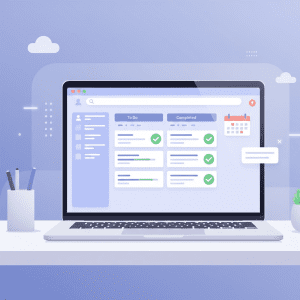
Apps that help you manage your tasks are important because they also help you organize your to-do lists, projects and deadlines. They enable users to organize daily tasks, track their progress and keep on top of priorities.
Key Features to Look For in Task Management Apps
- Customizable task lists and boards
- Deadline reminders and notifications
- Collaboration features for teams
- Cross-platform syncing across devices
Best Free Task Management Apps for 2026
- Todoist – Has a simple interface with intelligent prioritization and supports recuring tasks. Great for people with busy personal and work lives.
- Trello – A free and visual way to organize anything with cards, checklists, and labels. Perfect for planning your personal life or team work!
- Asana (Free Version) – Structured workflow for little teams. Task management, due dates, project tracking included.
With Task management apps, the possibility of forgetting a task is slim to none, deadlines are met and you keep track with both long term and short term plans.
Tip: Setting up reminders and calendar integrations when using task-management apps can help reinforce habits so you’ll follow through consistently.
Time Tracking and Focus Apps

Time management is more than just planning – it’s all about knowing how we spend our time and increasing efficiency.
How Time Tracking Improves Productivity
- Log hours on tasks or projects
- Identify productivity patterns
- Stay focused during work and study sessions
Best Free Time Tracking and Focus Apps
- Clockify – Time tracker, perfect for freelancers and teams. Delivers rich summaries about where time is being spent, making it easy to find ways to optimize your time.
- Forest – Turns focus into game by growing a virtual tree during concentrated work time. Promotes deep work and deters phone distractions.
- Pomofocus – Pomodoro timer based on https://github.com/lukeed/pagic to help you be more focused and productive.
Hack: Use both task management tools and focus tools together. You can, for instance, schedule tasks in Todoist and tackle work sessions with Pomofocus so you actually get them done.
Note-Taking Productivity Tools

Good note-taking is key to managing ideas, taking meeting notes and documenting projects. Siri Shortcuts Many apps have been adding AI-powered shortcuts that help you summarise notes, structure content and recommend tips automatically.
Best Free Note-Taking Apps
- Notion (Free Plan) – All your notes, tasks, databases, and wikis in one place. Great for personal organization and team knowledge manageme…
- Evernote Basic – Simple note taking: take notes in a variety of formats, including: text, sketches, photos, audio, video, PDFs, web clippings and more evernote.com/basic
- Obsidian – Offline-first knowledge base with some really powerful research-based note-taking features.
- Pro-tip: Group notes by project or context, connect ideas and reflect on notes often to extract actionable tasks.
Productivity Apps for Teams
For the teams of today, especially those who are working remotely, it’s essential to work together in collaboration. Productivity apps for teams free and designed to increase efficiency with which groups of people communicate, track progress, and stay accountable.
Collaboration Features for Remote Teams
- Real-time messaging and collaboration
- Task assignments and tracking
- File sharing and storage
- Remote access across devices
Best Free Productivity Apps for Teams
Microsoft Teams (Free Plan) – Keep your employees connected with chat, file sharing, and video meetings. (Max 50 team members) Suitable for small to medium teams.
Slack (Free) – You can use its channels and integrations to communicate with ease. Great to keep discussions organized and minimize email overload.
ClickUp (Free version) – A project management with team collaboration in one work app for managing all your work at once.
Teams that rely on these apps will be able to streamline their workflow while decreasing the likelihood of misunderstandings and increasing project visibility in an organized fashion.
Productivity Apps for Students
Students tend to cruise between assignments and revision times, maintaining active affiliative tasks outside study. Who doesn’t love a free productivity app to manage their workload, help them focus and stay organised?
Best Free Productivity Apps for Students
- Google Keep – Fast notes, labels, and reminders on the go. Ideal for jotting down thoughts and to-do lists while on the go.
- Quizlet – Pass exams easily with this study tool that allows you to learn anything.
- MyStudyLife – School, college planner for students to test Manage your routine easy!
Tip: Mobile-friendly apps give students a good way to stay productive while at home, in class or on the go.
Extra Advice: Combine a task management app with a study-focused app. For instance, track assignments in MyStudyLife while using Pomofocus for focused study sessions. This integrated approach maximizes learning efficiency.
How to Choose the Right Productivity App
The right productivity app makes all the difference when it comes to getting things done. In a world with so many choices, it’s easy to get decision fatigue. You want to find the tools that will fit your workflow, work with your devices and enhance productivity, not make it more complicated.
Identify Your Workflow and Goals
Every user has unique needs. Professionals might need apps that include task tracking, time management and collaboration features, while students could concentrate on study scheduling and note-taking. There are a few ways that you can differentiate between the different types—figuring out what you hope to get out of them will help narrow it down:
- are you being productive in personal or team environment?
- Do you require more sophisticated features, such as AI support or automation?
- Will the app sync to your calendar, cloud storage service or other productivity apps?
“Knowing what your needs are means the app can help you more rather than add to unnecessary complexity.”
Compare Features and Compatibility
Even free productivity apps vary widely in their capabilities. Certain ones have strong features and others only provide simple tools. Key considerations include:
- Task Management: Can the app mark, sort and create repeating tasks?
- Track hours: Are you able to keep an eye on time spent on projects or tasks?
- Collaboration: Does it help with team messaging, file sharing and project tracking?
- Cross-Platform Access: Are tasks, notes a schedules that you want to sync available on different devices?
- AI Features: Are there AI-driven suggestions, synopses or automation tools in the app?
I’ll tell you from experience individual apps are the best way to get an understanding of how they work and whether or not they will fit in with your workflow.
Testing Free Productivity Apps Before Committing
There are plenty of apps that provide free plans or trial periods. By playing around with these possibilities, users can:
- Assess user friendliness and interface design
- Try very imp features like reminders, notifications and integrations.
- Ensure compatibility with existing workflows
- No Fallout of pocket costs while getting the perfect fit
The experience of testing apps themselves ensures that we have a real-world view of what works best for personal or team productivity.
Advanced Tips for Maximizing Productivity
Once you’ve chosen your apps, a few advanced strategies can make a huge difference for how efficient they’ll let you be. Having the right app is a great start, but combining these tools with proven productivity methods like the Pomodoro Technique or Time Blocking will ensure you actually get your most important work done.
Combining Multiple Productivity Tools Effectively
Productivity apps aren’t one-size-fits-all. A Unified System is formed by Fusing Partner Apps:
- Note Using task manager to set daily priorities.
- Use a time tracker to keep an eye on productivity and find trends.
- Incorporate a note-taking app for your ideas, meeting notes and project docs.
This prevents the possibility of missing items and makes sure everything is flowing smoothly through your productivity ecosystem.
Using AI Features for Smarter Workflows
The rise of AI in productivity apps is changing the game for efficiency. Elements such as task prompts, note summaries and scheduling on autopilot take the manual work out of it.
- AI can help to prioritize tasks by deadlines, and by workload.
- Automated repetitive updates, reminders with project updates.
- Create summaries of long notes or research.
The app tackles the boring stuff so that users can concentrate on higher value actions through these AI driven functionalities.
Automating Repetitive Tasks
Automation saves time and minimizes errors. Even free apps often include built-in automation or integrations with other tools:
- Sync tasks automatically between project management apps and calendars.
- Set recurring reminders for routine work or study sessions.
- Use templates for repeated projects, such as weekly reports or class assignments.
Automation frees mental bandwidth, allowing users to focus on strategic priorities and creative problem-solving.
FAQs About Free Productivity Apps
-
What are the best free productivity apps in 2026?
Top options include Todoist, Trello, Asana, Clockify, Forest, Notion, and Microsoft Teams. Each app has been tested for reliability, ease of use, and integration capabilities.
-
How can I track time effectively with free apps?
Tools like Clockify and Pomofocus allow users to monitor hours spent on tasks, analyze productivity trends, and optimize work schedules. Combining these with task managers ensures that users focus on high-priority items.
-
Can free apps replace paid productivity software?
Yes. Many free apps now provide functionality comparable to paid versions. While limitations may exist, such as storage caps or fewer integrations, they are typically sufficient for individuals and small teams.
-
Which apps are best for teams or remote work?
Microsoft Teams, Slack, and ClickUp are excellent for team collaboration. They allow task assignments, file sharing, real-time communication, and progress tracking, making remote workflows more organized and efficient.
-
Are there AI-powered free productivity tools?
Yes. Apps like Notion, Obsidian, and some task managers now include AI features for summarizing notes, prioritizing tasks, and automating repetitive processes. These tools reduce manual effort and enhance overall productivity.
Productivity Tips for Students and Beginners
With students juggling classes, coursework and extracurricular involvement, there’s no denying that the stresses of life on campus are quite differently structured. Free productivity applications can enable them to stay organized, priorities tasks, focus and do their work more efficiently:
- Google Keep – Take note of ideas and reminders easily on any device.
- Quizlet – Learn with flashcards for your tests!
- MyStudyLife – Plan your lessons and deadlines All in one place.
For novices, it’s best to start with just one or two apps and build up from there. With mobile-friendly applications, productivity doesn’t need to stop while you are on the move.
Bonus Pro Tip: Pair task management with focus apps. So, try MyStudyLife to keep a tab on assignments and Pomofocus to schedule focused study sessions for higher productivity.
Cloud-Based and Cross-Platform Productivity Apps
Modern productivity demands flexibility. Apps in the cloud permit tasks, notes, and projects to be accessed from a desktop—tablet or mobile device. The automatic sync feature means all devices are automatically updated and your workflow is kept efficient.
Recommended Apps:
- Notion – All-in-one workspace that brings notes, tasks, and databases together in one place on the web. Ideal for individuals and teams.
- Trello – Visual boards so you and your team can work together in real time.
- ClickUp – Offers a free version for cloud syncing, task management and team collaboration; its a productivity center.
Cloud-based software rids you of the hassle of transfering data manually, minimizes the risk for lost information and simplifies working remote. Whether you’re a student juggling homework or a team synchronizing projects across time zones, cloud-based productivity tools offer the ultimate in flexibility.
Maximizing Productivity Without Overwhelm
But the best tools can also backfire if they are not used thoughtfully. To maximize your productivity tools:
- Think Small – Concentrate on just one or two key apps to begin with, and only branch out as you must.
- Automate Routine -Schedule repeating reminders, alerts and project templates to avoid the repetition.
- Unify the Tools – Integrate applications wherever you can to avoid the juggling between systems.
- ReU-iter — Using your notes for those weekly check-ins can help smooth the rough edges of usage.
- Work-Break Ratio – Uncapped focus sprints and regular short breaks (like the Pomodoro technique) are proven to help you get more done with less work burnout.
Using these strategies, you can take advantage of many productivity tools without feeling weighed down so that long-term productivity and efficiency are maintained.
Why Testing Before Choosing Matters
Apps can be a gamble when selecting from recommendations alone. We check out every app we recommend — so you know it really is worth your $$. In testing the app themselves, users can:
- Evaluate usability and interface comfort
- Verify core function like task management, collaboratino and note-taking
- Determine compatibility with existing workflows
- Decide with confidence without ever having to make a down payment
Using testing is what shows you which tools actual contribute to productivity. We make recommendations independently, but participate in affiliate advertising programs that may pay us commission if you make purchases at the apps or links provided. This transparency means that you can trust the recommendations and make decisions based on what exactly suits your requirements.
Final Recommendations for Free Productivity Apps in 2026
Below is the compiled list of best free productivity apps for 2026 according to their intended purpose:
Task Management
- Todoist – Great if you want to track tasks individually and plan on daily basis.
- Trello – Great for visual organization and managing project flow.
- Asana (Free Version) – Best for small teams handling projects.
Time Tracking and Focus
- Clockify – Free time tracking software for freelancers and teams.
- Forest – A gamified focus tool that promotes 100% focus during work periods
- Pomofocus – Pomodoro timer to keep track of your work and break time.
Note-Taking and Knowledge Management
- Notion – All-in-one workspace, planner and organizer.
- Evernote Basic – Focused note-taking for organization, including tagging and search.
- Obsidian – A second brain, for you, foreverKnowledge management and note taking application based on markdown.
Team Collaboration
- Microsoft Teams (Free Plan: Available on web, desktop and mobile) – Chat, file sharing and video meetings to help you coordinate.
- Slack (Free Plan) — Organized channels and integrations for effortless communication.
- ClickUp (Free Version) – Project management with collaborative and productivity tools.
Student Productivity
- Google Keep – Mobile easy note taking and reminders.
- Quizlet – Flashcards and study sets for exam preparation.
- MyStudyLife – Focuses on tracking homework, assignments and classes for students.
When they’re able to mix and match apps across the important points of focus, work tasks, notes and collaboration into a seamless productivity ecosystem.
Tips for Maintaining Long-Term Productivity
Simply adding an app is only the beginning. As game week productivity is maintained, it’s a marathon not a sprint:
- Review and Reflect Every Week – Look at what worked best and what needs to be adjusted.
- Personalized App Preferences – Configure notifications, reminders or views to match your personal workflow.
- Avoid App Overload – Only use apps that are relevant to you.
- Stay Current – Look for features that can help improve productivity.
- Balance Digital and Analog – An paper planner or whiteboard can be a good addition to digital tools for those quick brainstorms or visual organization.
By adopting these practices, you will sustain productivity in the long term and avoid burning out.
Conclusion: Boost Your Efficiency with the Right Free Productivity Apps
2026 is an amazing year for free productivity apps that help people and students to stay focused, improve work efficiency and collaborate. With AI-fueled note-taking and cross-platform cloud solutions, there’s a tool to match every workflow.
It is not about using the most apps, but using the right few effectively. You can try the test tools in your hand, or integrate other apps methodically and apply practical strategies over time that will slowly lift their productivity without disrupting equilibrium.
Staying organized is just one piece of the puzzle. If you are building a new venture, be sure to check out our complete list of free business tools for startups to help you manage everything from marketing to finance without breaking the bank.
Disclaimer: We do not earn commissions from any app recommendations; all suggestions are based on rigorous testing and real-world usability. By following this guide, anyone can enhance their workflow, achieve goals faster, and maintain productivity consistently throughout 2026 and beyond.
Start exploring these apps today, integrate them into your workflow, and watch your productivity soar!